
CineIris
DIT & post · macOS
Every frame, accounted for.
Camera-card offload for DITs and loaders. It copies a card to all your drives at once, reads every copy back to prove it matches, and opens the clips to make sure they play. Then it tells you whether the card is safe to format.
In development · Coming soon
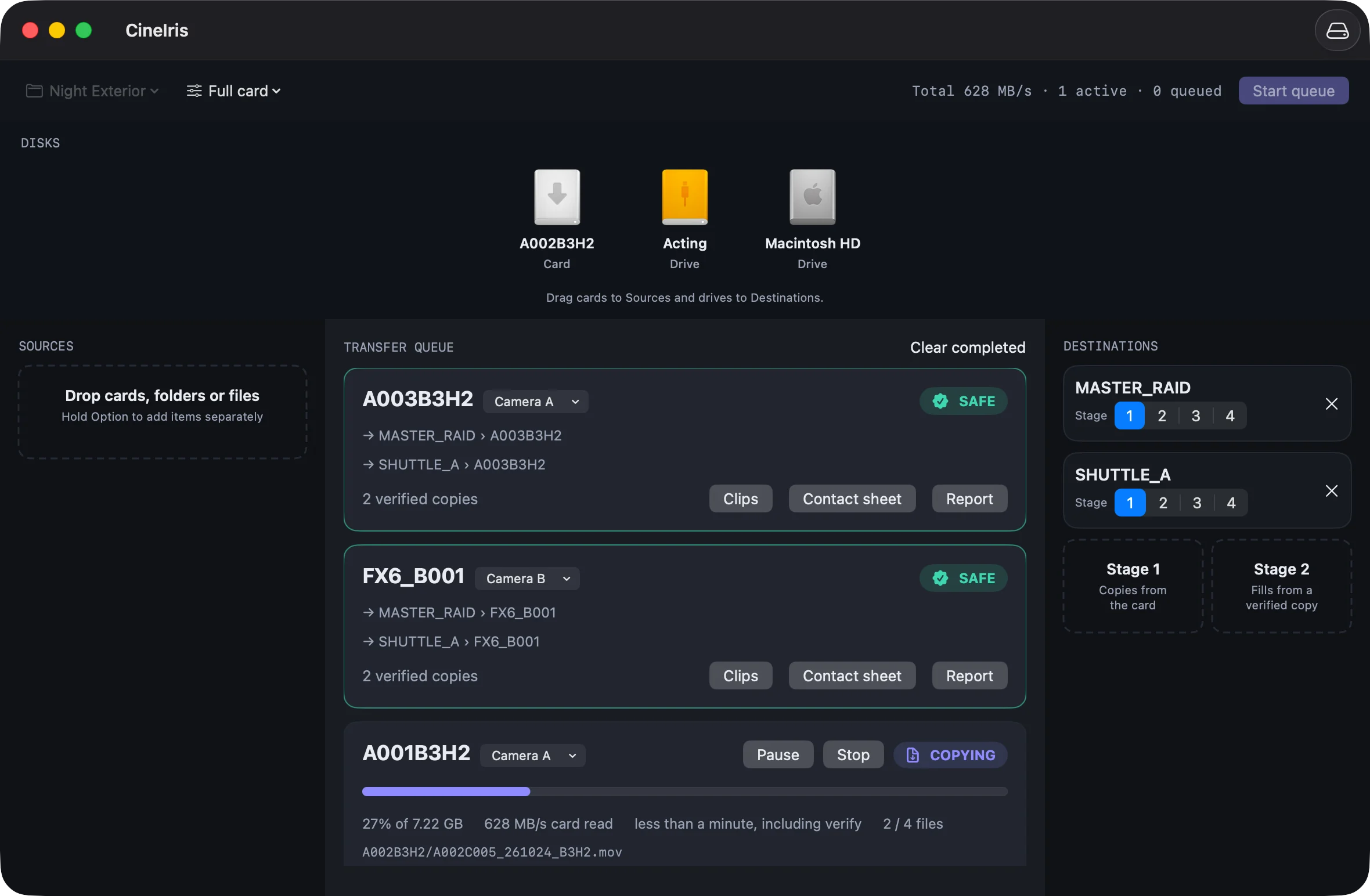
Why we built it
A card gets formatted on the word of the cart.
Footage is the one thing on set you can't cheaply get back. Matching checksums only tell you two copies agree. They say nothing about whether the clip is broken, and if the read-back came from the RAM cache, they say less than you think. We wanted an offload tool for our own carts that would only say SAFE when it could show why.
From card to SAFE
- 01
One read, every drive
The card is read once and written to every Stage 1 drive at the same time, hashed on the way. Stage 2 drives fill from a verified copy, so the card only gets read once.
- 02
Read back from the disk, not RAM
Each file is flushed to the drive, then read back with the OS cache bypassed. The hash that gets checked comes from the disk.
- 03
Check the footage itself
A broken clip copies perfectly. So CineIris opens each one and checks the frame index and timecode, and looks for truncated or zero-byte files.
- 04
Say when a card is safe
A card turns SAFE only when every file is verified on every counted copy under the project's rules. Anything less stays NOT SAFE, with the reason in plain words.
Safe to format
SAFE means proven, on every copy.
Each project sets its own rules: how many verified copies, on how many separate physical devices, and which footage flags a SAFE card may carry. Two partitions on one drive count as one device. Rule changes apply to future offloads only, so nothing turns SAFE after the fact.
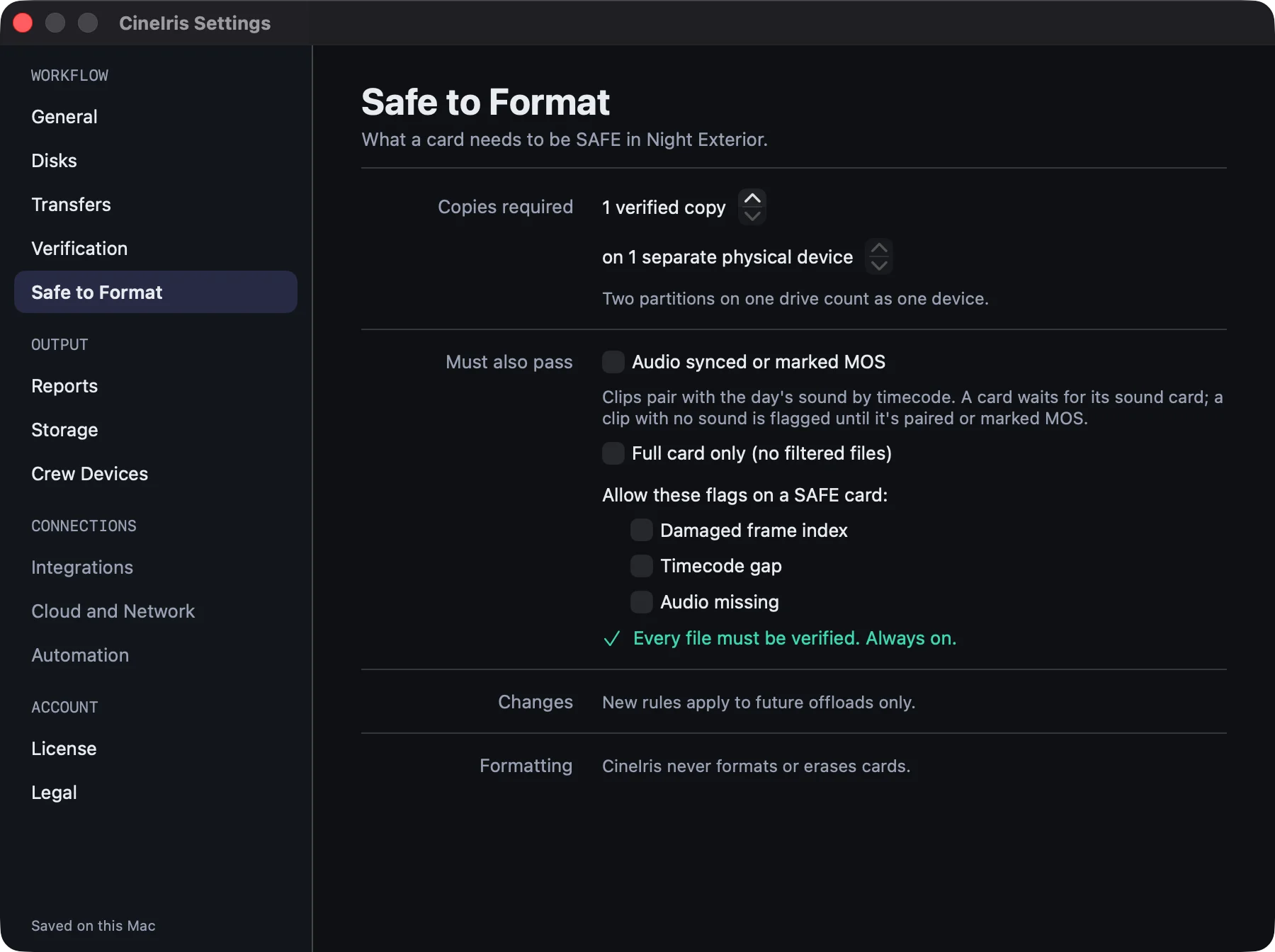
The rules
What it will never do.
- 01
CineIris never formats, erases or deletes anything on a camera card. Cameras format their own media.
- 02
Fast verification modes exist for speed jobs. They can never make a card SAFE.
- 03
Every file is accounted for. An unreadable file keeps the card NOT SAFE until it is recopied or excluded by a rule the report shows.
- 04
Filters never strip a sidecar or index a kept clip depends on, and every exclusion is logged.
- 05
It copies the full card unless you tell it otherwise. Filters and renaming are things you turn on yourself, and they show in the report.
Paperwork
A report post can trust.
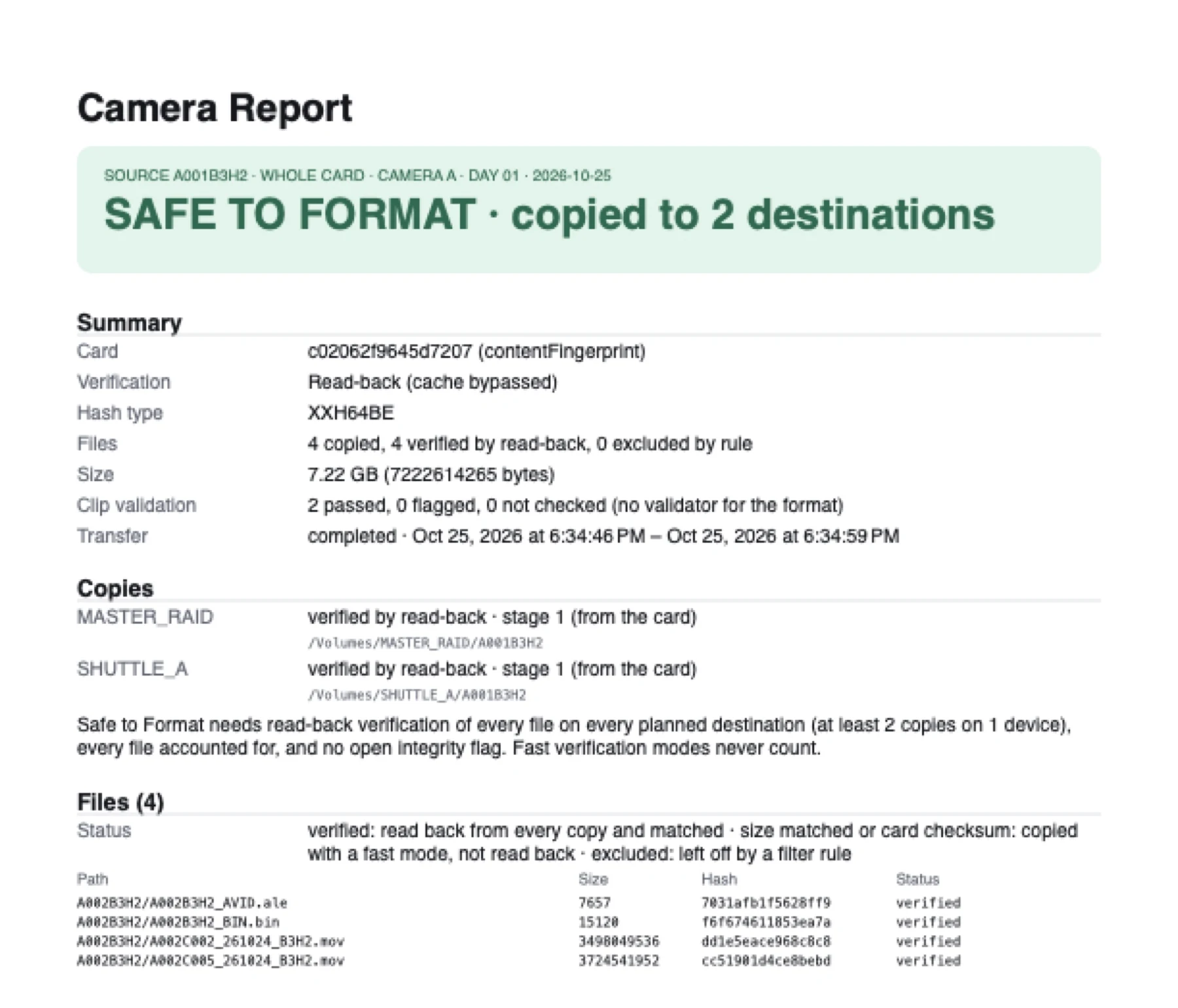
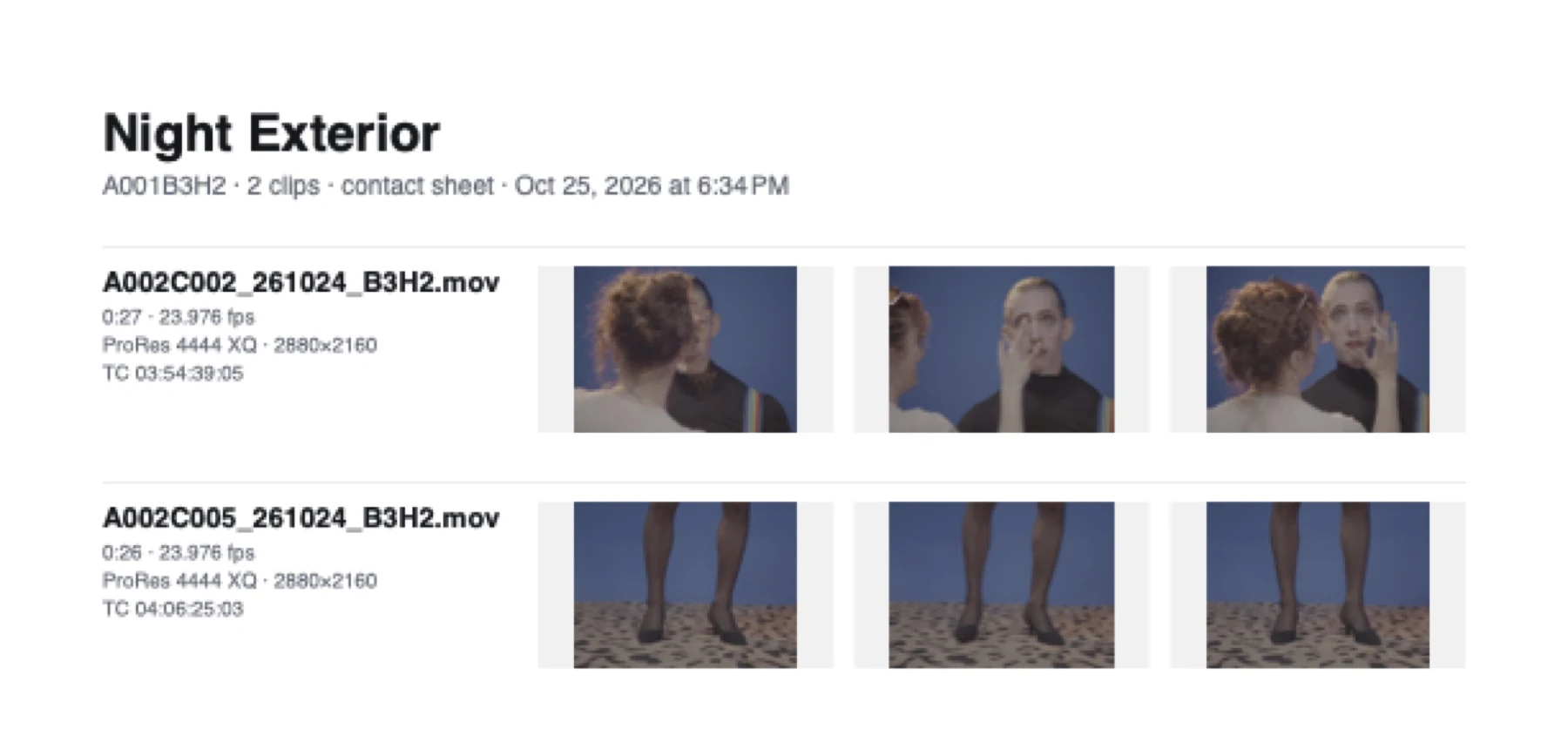
Every card gets an MHL on each drive, a camera report in PDF and CSV, a contact sheet, and a transfer log that names the verification mode next to every result. When something fails, the log says whether it was the card, the reader, the cable or the drive.
Specs
- Checksums
- xxh3-64 · xxh128 · xxHash64 BE · MD5 · SHA-1 · C4
- Hash lists
- ASC MHL v2 with generations and C4 chain · legacy MHL v1.1
- Reports
- Per-card PDF and CSV · contact sheets · text and JSON logs
- Clip checks
- QuickTime / ProRes · MXF · ARRIRAW per-frame CRC · WAV / RF64 with iXML and bext · BRAW and R3D headers
- Camera profiles
- ARRI ALEXA Mini / AMIRA · Sony XAVC (FX6) · Sony XAVC S (FX30) · Canon EOS stills · Zoom F6 · Tentacle Track E
- Interruptions
- Pulled card resumes in place · unplugged drive · free space checked across the whole queue
- Platform
- macOS 14 or later · Apple silicon first · menu bar, Dock badge and notifications
CineIris is still in development. This list is what the current build does. Integrations, including CineFlo, are optional: when they're off or offline, nothing on set changes.
Coming soon
Coming to the cart.
We're testing CineIris on cards from our own shoots while we finish it. It's a Mac app, and it'll be out when it's ready for someone else's cart.
CineIris is made by Neon Media · See all apps